

Most enrichment conversations at nonprofits start backwards. Someone signs up for a wealth-screening trial, a 40,000-record file comes back with giving capacity scores, net worth bands, real estate holdings, and a dozen other appended fields — and then the file just... sits there. Half of it never gets loaded. The other half gets loaded wholesale, overwrites good data with vendor guesses, and six months later nobody trusts the capacity scores anymore.
The problem isn't the vendor. It's that there was no decision about which fields were worth paying for, when to refresh them, and what to throw away before it touched the CRM. For a two-person advancement shop, enrichment without those gates is a slow way to pollute your own database.
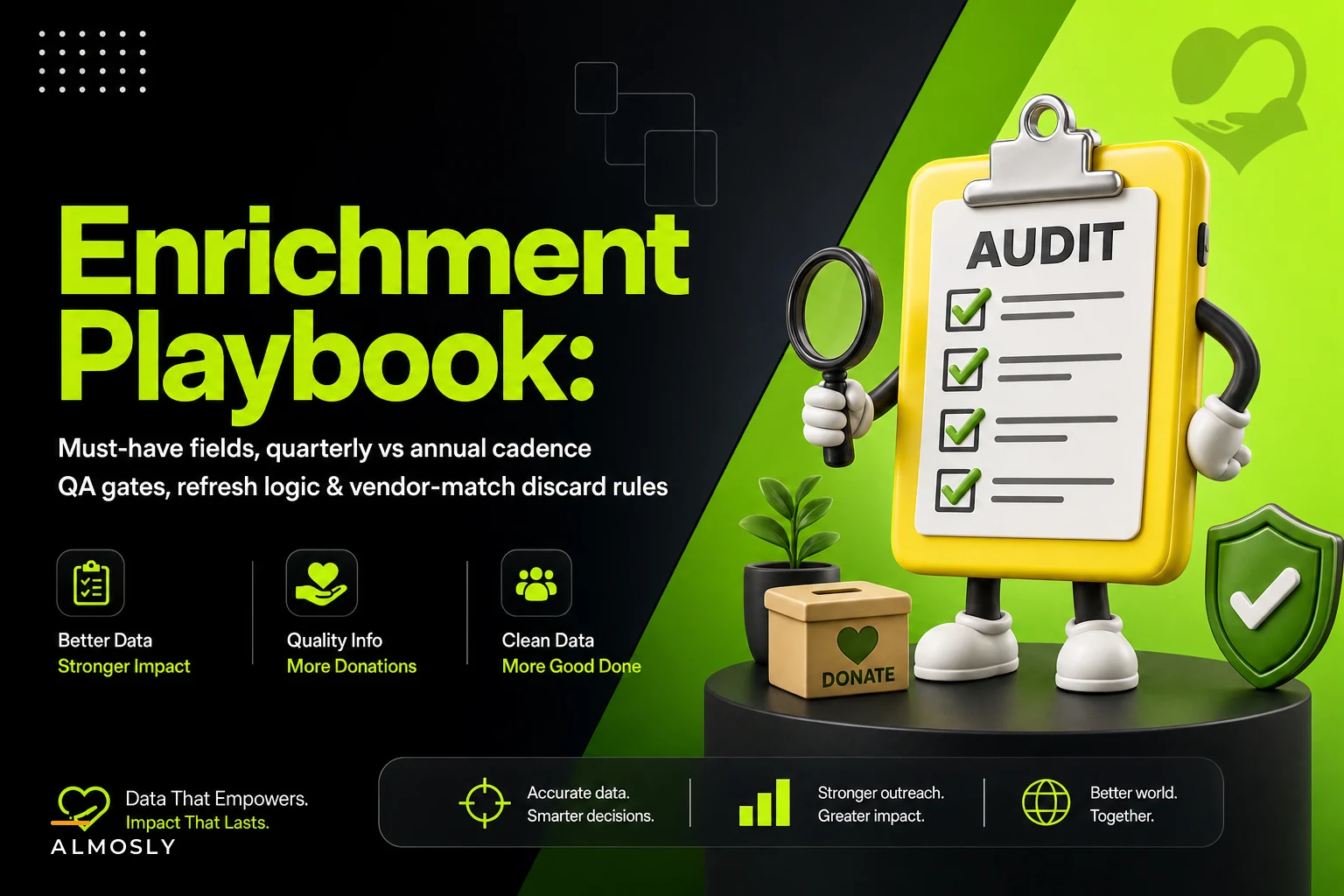
This is a playbook for building a data enrichment cadence at a nonprofit that can't afford a data team — the fields that actually earn their keep, the refresh timing that matches how often the underlying data really changes, and the acceptance gates that keep vendor noise out of your donor records.
Start with the decision the field is supposed to drive
The fastest way to cut an enrichment bill in half is to ask one question about every appended field: what decision changes if this value changes?
If the honest answer is "nothing," you're paying to store something nobody acts on. In real operations this is most of a wealth-screening output. A field like "estimated total assets $1M–$2.5M" sounds valuable until you realize your gift officers never move someone into the pipeline based on an estimated band — they move them based on actual giving history, a confirmed real-estate record, or a board member who says "I know this person."
-
Action fields — directly trigger a workflow. Email deliverability status routes someone off an email channel. A deceased flag pauses solicitation. A new employer enables a matching-gift ask.
-
Scoring inputs — feed a prioritization model but aren't acted on alone. Capacity bands, philanthropic giving to other orgs, affinity signals.
-
Nice-to-know — context a gift officer might glance at once. Interests, hobbies, board memberships at unrelated organizations.
The mistake small teams make is enriching all three buckets at the same depth and the same frequency. Pay real money and refresh often for action fields, pay selectively for scoring inputs, and enrich nice-to-know fields once (if ever) and never refresh them.
The must-have field tier for a small shop
When you strip enrichment down to what a lean team actually uses, the must-have list is shorter than most vendor packages. These are the fields worth a gate and a refresh schedule:
Stop missing fundraising opportunities.
Almosly helps you plan, track, and optimize every campaign with ease.
- Centralized donor and volunteer management
- Automated engagement workflows
- Impact and fundraising analytics
No credit card required
| Field | Bucket | Why it earns its place | Refresh cadence |
|---|---|---|---|
| Email validity / deliverability | Action | Protects sender reputation, kills hard bounces | Quarterly |
| Mailing address (NCOA / move update) | Action | Appeals and receipts bounce without it | Quarterly for actives, annual otherwise |
| Phone validity + type (mobile/landline) | Action | Texting and call program accuracy | Annual |
| Deceased / do-not-contact signals | Action | Prevents painful solicitation errors | Quarterly |
| Employer / employment change | Scoring + Action | Drives matching gifts and capacity | Quarterly for pipeline, annual otherwise |
| Giving capacity band | Scoring | Prioritization only, never acted on alone | Annual |
| Philanthropic giving to peer orgs | Scoring | Affinity + capacity signal | Annual |
Notice what's not here: net worth estimates to the dollar, luxury asset flags, political donation detail, lifestyle interest tags. Those fields run up a bill and almost never change a gift officer's next move. If a prospect is already in active cultivation, your team learns those things through real conversations — not a vendor append. The research-grade detail matters at the top of the pipeline, and the operational logic for when a prospect deserves that investment lives in your prospect scoring and moves-management rules, not in a blanket screen of the whole file.
Quarterly vs. annual: match cadence to how the data actually decays
The single biggest source of wasted enrichment spend is refreshing stable data on a fast clock and letting volatile data rot. Different fields decay at wildly different rates, and your cadence should mirror that.
Refresh quarterly:
-
Email deliverability — people change jobs, abandon addresses, and flip providers constantly
-
Deceased and do-not-contact flags — the cost of a miss here is reputational, not just financial
-
Addresses for your active donor segment — the people you mail most
Refresh annually:
-
Capacity bands and wealth indicators — these barely move year to year, and a quarterly rescreen of the same person tells you nothing new
-
Phone numbers for the general file
-
Employer data for donors not currently in a pipeline
Enrich once, basically never refresh:
-
Interests, hobbies, board affiliations
-
Historical giving to other organizations captured during initial research
A typical pattern: a mid-sized organization was paying for a full annual wealth screen of its entire 60,000-record database — roughly a five-figure line item — and getting almost nothing actionable out of the 55,000 records that were lapsed or sub-$100 lifetime. When they split the file into an active + pipeline segment for quarterly action-field refreshes and limited the capacity screen to an annual pass on the top few thousand prospects, enrichment spend dropped by more than half and the data gift officers actually touched got more current, not less.
Small files refreshed often beat big files refreshed rarely. A lean team gets more value enriching 4,000 records four times a year than 60,000 records once.
Vendor-match discard criteria: the gate that keeps noise out
This is the section most enrichment setups skip entirely, and it's where databases quietly go bad. When a vendor appends data, they match your record to their record. That match is a guess with a confidence level, and if you accept low-confidence matches, you're importing someone else's data onto your donor's file.
Before any append gets written, run it through discard criteria. A match should be rejected when:
-
Name + address agree but the match confidence is below the vendor's "high" threshold. Medium-confidence matches on common names — think "John Smith" in a metro area — are frequently wrong.
-
The appended field contradicts known good data. If your record shows a confirmed current employer from a recent matching-gift form and the vendor appends a different one, do not overwrite — flag for review.
-
Only one weak identifier matched (email alone, or last name + ZIP). That's not enough to trust the full appended profile.
-
The vendor returns a deceased flag but no corroborating source date. Verify before you pause a living donor by mistake.
-
A capacity or net-worth value jumps more than one band from the prior screen with no life event to explain it. Usually a mismatch, not a windfall.
The rule that saves the most pain: never let a vendor overwrite a field a human confirmed. Enrichment data fills blanks and suggests updates for review — it does not win arguments against data your own staff verified. Store appended values in a way that preserves provenance (source, date, confidence) so that when a gift officer asks "where did this capacity number come from?" you have an answer.
QA checks before anything hits production
You don't need a data engineer to QA an enrichment file. You need a repeatable checklist and the discipline to run it on a staging copy before the load. Here's the sequence a small team can actually maintain:
-
Load to staging, not production. Always. A separate sandbox or a holding table, never a direct import.
-
Row-count reconciliation. The number of records out should match the number in. If you sent 4,000 and got 3,870 back, find the missing 130 before proceeding.
-
Null-rate check per field. If email deliverability came back blank on 60% of records, the match rate is too low to be worth loading — raise it with the vendor.
-
Contradiction report. Compare appended values against existing verified fields. Anything that conflicts goes to a manual-review queue, not an auto-overwrite.
-
Spot-check 20–30 records by hand. Pull a mix of high-value and random records and eyeball the appends. Five minutes here catches match-logic failures a summary report hides.
-
Confidence filter. Drop every record below the high-confidence threshold from the auto-load; route them to review.
-
Change-volume sanity check. If a "refresh" is proposing to change thousands of fields that shouldn't have moved, something is wrong with the match keys. Stop and investigate.
Keep the original vendor file and a staging snapshot for audit trails so you can trace back any unexpected changes.
Only after a file clears all seven does it go to production — and even then, action fields that pause or route communications (deceased, do-not-contact) deserve a human sign-off, because the cost of a false positive is a grieving family getting an appeal letter.
A short real scenario
A regional arts nonprofit, two people in advancement, roughly 28,000 records in the CRM. They had been doing one big annual append — addresses, emails, phones, capacity — loaded straight to production with no gates. Every spring the whole team spent a week cleaning up the mess: overwritten employers, bounced emails that used to work, a handful of capacity scores that made no sense.
They rebuilt it around tiers and gates. Action fields (email, address, deceased flags) got quarterly refreshes on just the active and pipeline segment — about 5,500 records. Capacity and peer-giving stayed annual and only on the top prospects. Every file ran through a staging table, a contradiction report, and a confidence filter before loading.
The results weren't dramatic in a way you'd put on a slide, but they were real: the annual spring cleanup week basically disappeared, hard-bounce rates on email appeals dropped noticeably because deliverability was current instead of 11 months old, and gift officers stopped second-guessing capacity scores because the ones that made the cut were high-confidence and sourced. Enrichment cost came down too, mostly because they stopped paying to rescreen 22,000 records nobody was working.
When this level of rigor makes sense — and when it's overkill
When it makes sense: you're actively mailing, emailing, or texting at volume; you have a pipeline where prioritization decisions have real dollars attached; or you've already been burned by bad appends overwriting good data. If any of those are true, the gates pay for themselves fast.
When it's probably overkill: if your database is under a few thousand records and you know most of them personally, a formal quarterly enrichment cadence is more overhead than value. Fix deliverability manually, verify addresses at mail time, and skip the machinery.
Who should not do this: organizations that haven't settled their underlying data model yet. Enriching on top of a database with duplicate records and inconsistent fields just multiplies the mess — you'll be appending vendor data onto three versions of the same donor. Get your canonical fields and your segmentation structure stable first. The enrichment cadence sits on top of a clean foundation, and the way you group records for enrichment should follow the same logic you use in your donor segmentation taxonomy.
Where lightweight automation actually helps
The reason small teams skip QA isn't that they don't understand it — it's that running staging loads, null-rate checks, and contradiction reports by hand every quarter is tedious, and tedious work gets dropped. This is the narrow place where a workflow or data-management platform with some automation earns its keep: it can run row-count reconciliation, flag contradictions against verified fields, and route low-confidence matches to a review queue automatically, so the human only looks at the handful of records that actually need judgment.
Here's a simple workflow diagram showing how automation handles the mechanical checks while humans review only flagged records.
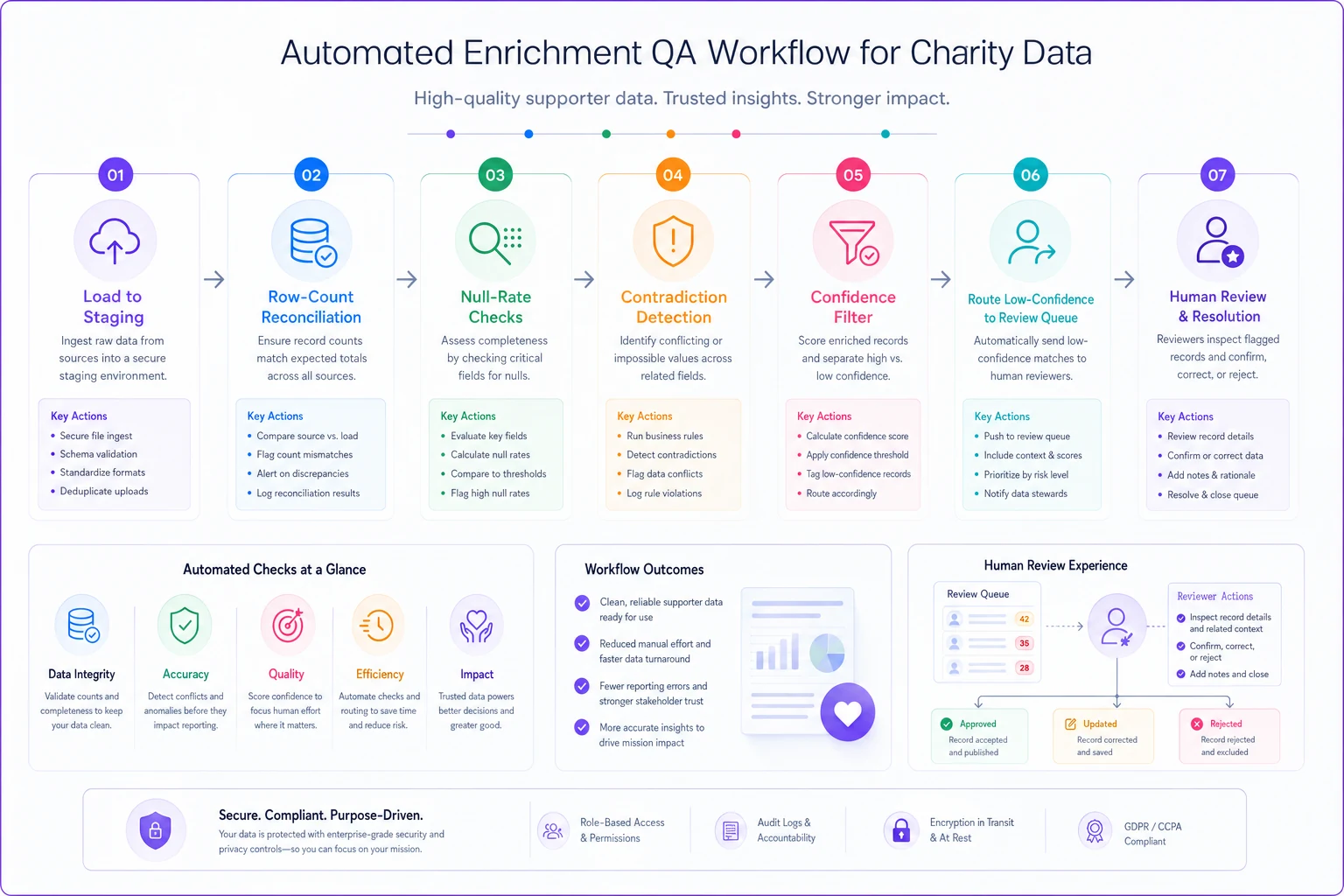
That's the right scope for automation here — the mechanical, repeatable checks. The decisions about which fields matter and what to accept still belong to the people who know the donors.
The takeaway
Enrichment goes wrong at nonprofits not because the vendors are bad but because there's no decision layer between the vendor file and the CRM. Decide which fields drive an action, refresh them on a clock that matches how fast they actually decay, reject low-confidence matches instead of trusting them, and never let appended data overwrite something a human confirmed. Do that on your small active-and-pipeline segment rather than your whole file, and you'll spend less, trust your data more, and stop losing a week every spring cleaning up last year's enrichment.
Ready to elevate your nonprofit impact?
Join 2,000+ nonprofits using Almosly to boost fundraising efficiency, deepen donor relationships, and scale philanthropic impact.