
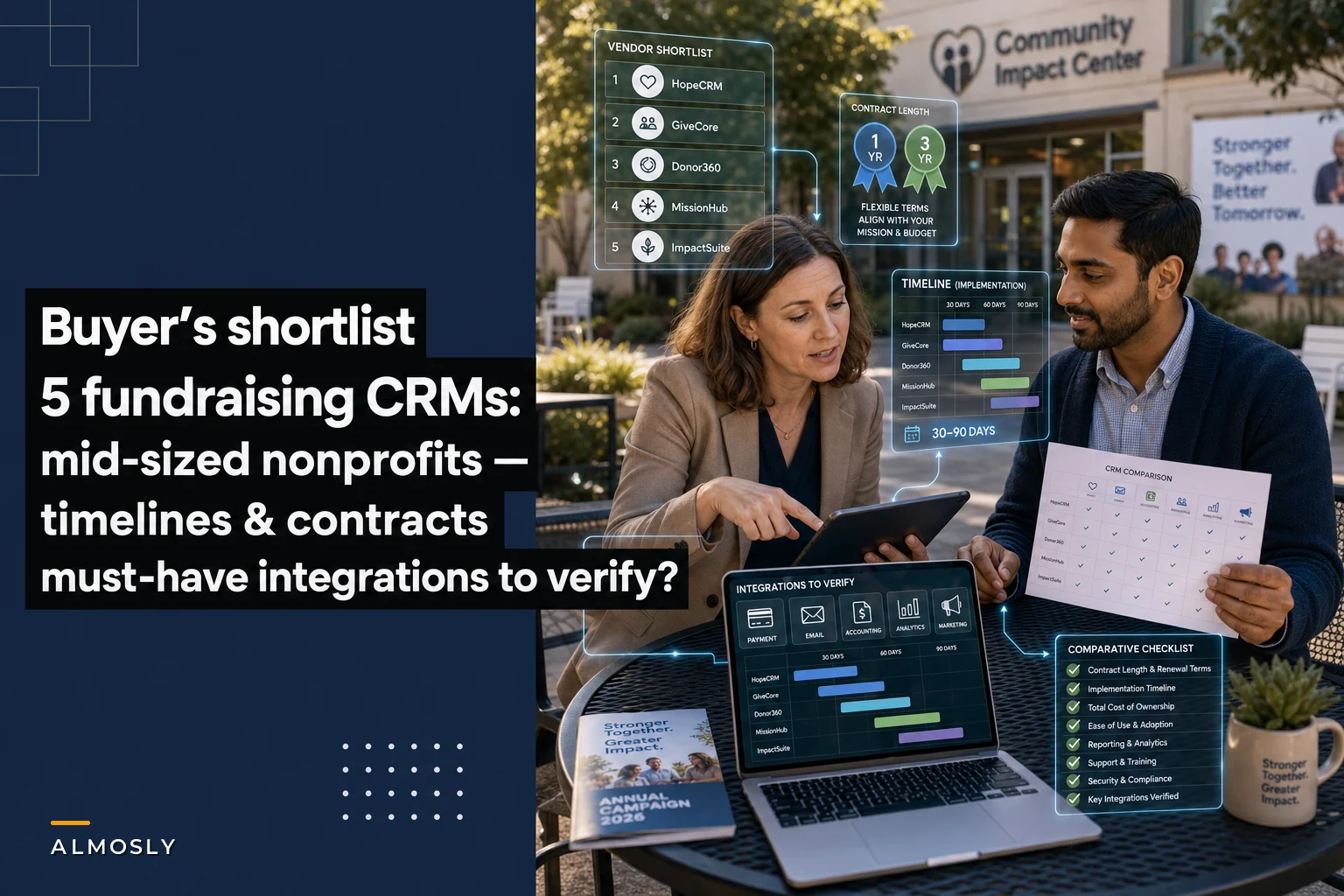

Most CRM shortlists for nonprofits read like repackaged vendor brochures. They tell you the software "empowers your mission" and "centralizes your data" without ever answering the three questions that actually determine whether a purchase goes well: How long am I locked in? How long until this thing is live? And will it actually talk to the two or three systems I already can't live without?
This guide sticks to those three questions for five vendors that fit the $1M–$10M revenue band. Not startups running on Google Sheets, not hospital foundations with a Salesforce admin on staff — the middle tier, where a development director, a part-time ops person, and maybe one database coordinator are expected to run everything.
A quick note before the list: contract and implementation ranges below reflect typical patterns for mid-sized buyers, not quoted pricing. Your numbers will shift based on data volume, how messy your current records are, and how much custom work you ask for. If you want the governance and sequencing side of this — scoping, phase gates, and how to avoid paying twice for the same work — pair this with the nonprofit CRM roadmapping and procurement guide, which handles the "how to buy" while this handles the "what to shortlist."
How to read the integration column (it matters more than features)
The most common post-purchase regret in this revenue band isn't a missing feature. It's a broken integration.
A typical failure looks like this: an organization picks a CRM with a gorgeous gift-entry screen, then three months in realizes their payment processor only syncs transaction totals — not the individual recurring gift metadata, not the fee breakdown, not the donor-designated fund. Now someone is exporting CSVs from Stripe every Monday and hand-matching them against CRM records. The "automation" they bought became a manual reconciliation job.
Test the flagged integration in a sandbox with representative data before you sign the contract.
For each vendor below, I've flagged one integration that has to work cleanly for that platform to make sense for a mid-sized shop. If that specific integration is weak or requires a paid middleware connector, it changes the real cost and the real timeline. Test it in a sandbox before signing — not after.
The shortlist at a glance
The table below gives you the overview. The vendor sections that follow are where the real buying decisions live, because two platforms with identical implementation timelines can feel completely different depending on your team's actual capacity.
Stop missing fundraising opportunities.
Almosly helps you plan, track, and optimize every campaign with ease.
- Centralized donor and volunteer management
- Automated engagement workflows
- Impact and fundraising analytics
No credit card required
| Vendor | Typical contract length | Expected implementation | Must-have integration | Best fit |
|---|---|---|---|---|
| Bloomerang | 1 year, annual renewal | 2–6 weeks | QuickBooks Online | Small dev teams wanting fast live date |
| Neon CRM | 1 year | 4–10 weeks | Mailchimp / Constant Contact | Orgs running heavy email + events |
| DonorPerfect | 1–3 year options | 4–8 weeks | Payment processor (its own + QuickBooks) | Mixed online/offline gift shops |
| Virtuous | 1–2 years | 8–16 weeks | Mailchimp + Stripe | Growth-stage, automation-focused teams |
| Salesforce NPSP (via partner) | 1 year (Power of Us) + partner SOW | 10–20+ weeks | Stripe (via connector) | Complex orgs with admin capacity |
The vendor sections that follow are where the real buying decisions live, because two platforms with identical implementation timelines can feel completely different depending on your team's actual capacity.
1. Bloomerang — when you need to be live this quarter
Contract: Typically annual, billed monthly or yearly. Implementation: Often 2–6 weeks for a standard migration. Must-have integration: QuickBooks Online.
Bloomerang's whole positioning is retention-first simplicity, and in practice that translates to the fastest realistic go-live in this group. For an organization with a reasonably clean donor file — say 15,000–40,000 constituent records — a basic migration and configuration commonly wraps in under a month.
What people underestimate: fast implementation is only fast if your data is clean going in. A $4M human-services org with years of duplicate records and inconsistent fund names won't hit the two-week end of that range no matter which vendor they choose. The platform isn't slow; the cleanup is.
Watch the QuickBooks link closely. Bloomerang's QuickBooks Online sync is solid for summary-level journal entries, but if your finance team wants gift-level detail flowing automatically, confirm exactly what granularity transfers. A surprising number of teams assume the integration pushes every gift as a line item and discover it batches instead.
When this makes sense: small development team, limited IT support, you value a working system next month over a perfectly customized one next year.
When it's a bad idea: you run complex grant tracking, multi-entity accounting, or need deep custom objects. You'll outgrow the structure.
2. Neon CRM — built around events and email volume
Contract: Typically annual. Implementation: Roughly 4–10 weeks. Must-have integration: Mailchimp or Constant Contact.
Neon earns its place for organizations where events and email campaigns drive a big share of revenue. If your calendar includes a spring gala, a few peer-to-peer campaigns, and a monthly e-appeal, Neon's built-in event and email tooling reduces the number of disconnected systems you're stitching together.
Implementation runs a bit longer than Bloomerang mostly because there's more to configure — event templates, registration forms, membership structures. A mid-sized arts or membership org will usually land in the 6–8 week zone once forms and automations are set up and tested.
The email integration is the pressure point. Neon has native email, but plenty of teams want to keep Mailchimp for its deliverability and template library. Confirm that the sync keeps segments and engagement data flowing both ways. One-directional syncs are the quiet killer here — your CRM thinks a donor is engaged while Mailchimp already flagged them as unsubscribed, and you end up emailing people who opted out.
When this makes sense: event-heavy calendar, membership model, or a team that wants fewer separate logins.
When it's a bad idea: you have almost no events and your giving is overwhelmingly online recurring. You'd be paying for capability you won't use.
3. DonorPerfect — the offline-gift workhorse
Contract: Annual, with multi-year options that usually come with a discount. Implementation: About 4–8 weeks. Must-have integration: Payment processing + QuickBooks.
DonorPerfect has been around long enough that it handles the unglamorous stuff well — pledges, soft credits, in-kind gifts, matching gifts, and the mixed online/offline reality most mid-sized shops actually operate in. If a meaningful chunk of your revenue still arrives as checks and event tables, this platform respects that.
The multi-year contract option deserves a flag. The discount is real, but so is the lock-in. A two- or three-year term makes sense only if you've already pressure-tested the platform against your workflows. Don't trade flexibility for a 10% discount before you know the system fits — that's a classic mid-sized mistake born from board pressure to "get a good deal."
On integrations, DonorPerfect pushes its own payment processing hard, and the tightest experience comes from using it. That's fine — just go in knowing that switching processors later is more friction than it looks. Verify the QuickBooks sync handles your fund and campaign structure the way your accountant expects, because reconciliation disputes between development and finance are where trust between those two departments quietly erodes.
When this makes sense: heavy offline giving, pledge-based campaigns, long organizational history to migrate.
When it's a bad idea: you want a modern, highly visual interface and your team skews younger and UI-sensitive. The interface is functional, not fashionable.
4. Virtuous — for teams serious about automated donor journeys
Contract: Typically 1–2 years. Implementation: Commonly 8–16 weeks. Must-have integration: Mailchimp + Stripe.
Virtuous is the platform on this list that leans hardest into automated, responsive donor communications — the kind where a first-time online gift can trigger a tailored welcome sequence without someone manually tagging the record. For a growth-minded $5M–$10M org that's tired of batch-and-blast, that's the draw.
That capability comes with a longer runway. The 8–16 week range is honest; the shorter end assumes clean data and a dedicated internal lead, and the longer end is where most teams actually land once they build out the automated journeys properly. Rushing the setup here defeats the purpose — half-configured automation is worse than none, because it fires at the wrong people.
The Stripe and Mailchimp connections are the backbone. Virtuous is designed to act on signals from those systems, so if the Stripe sync doesn't reliably carry recurring-gift status and failed-payment events, the automations you're paying for lose their best triggers. Test a failed-payment scenario end to end in the sandbox. If a declined card doesn't flow into the CRM cleanly, your recovery workflows won't fire.
When this makes sense: you have the capacity to own automation, decent data hygiene, and genuine ambition to scale personalized stewardship.
When it's a bad idea: no internal owner for the system, messy data, or a team already stretched thin. Powerful tools punish under-resourced teams.
5. Salesforce Nonprofit Cloud / NPSP — power with a partner tax
Salesforce's Power of Us program covers base licenses; real cost and timeline come from the implementation partner's statement of work. Implementation: Realistically 10–20+ weeks. Must-have integration: Stripe (via a connector like a dedicated payment app).
Salesforce belongs on a mid-sized shortlist only with eyes fully open. The donated licenses make it look cheap. The implementation partner is where the real budget goes, and that's the number too many boards miss when they hear "free Salesforce licenses."
A realistic mid-sized implementation is a meaningful project, and the timeline reflects that. The upside is near-unlimited flexibility — custom objects, reporting, and integrations that the purpose-built platforms can't match. The downside is that someone has to maintain all that flexibility.
The integration caution is sharper here. NPSP doesn't natively process payments the way a purpose-built fundraising CRM does. You'll rely on a connector to bring Stripe (or another processor) into the picture, and the quality of that connector shapes your daily experience. Confirm that recurring gifts, refunds, and fee data sync without manual intervention — this is exactly where organizations end up building the CSV-reconciliation habit described earlier.
When this makes sense: you have — or can hire — real admin capacity, complex programs, and a multi-year vision that justifies the build.
Who should NOT do this: a three-person development team with no technical staff and no budget for ongoing admin support. The platform will own you instead of the other way around.
A real scenario: picking between two finalists
A regional conservation nonprofit, roughly $6M in annual revenue, narrowed to Virtuous and NPSP. On paper NPSP looked more flexible and the licenses were free. Their team was a development director, one database coordinator, and a shared finance contact — no admin, no budget for one.
They ran a two-week sandbox test focused on a single question: what happens when a monthly donor's card fails? In Virtuous, the failed-payment event flowed in and triggered the recovery sequence without anyone touching it. In the NPSP sandbox, the connector they'd been quoted required extra configuration to pass that same event reliably — work that wasn't in the base partner estimate.
They chose Virtuous. Implementation ran about 11 weeks. The decision wasn't about which platform was more powerful — NPSP clearly was. It was about which one their actual team could run on a Tuesday afternoon without calling a consultant. That's the distinction mid-sized buyers get wrong most often: they buy for the org they imagine becoming instead of the team they actually have right now.
A short sandbox checklist before you sign anything
Before committing to any vendor, run each finalist through a structured test using your own data where possible. The goal is to surface integration gaps and configuration surprises before they become post-contract problems.
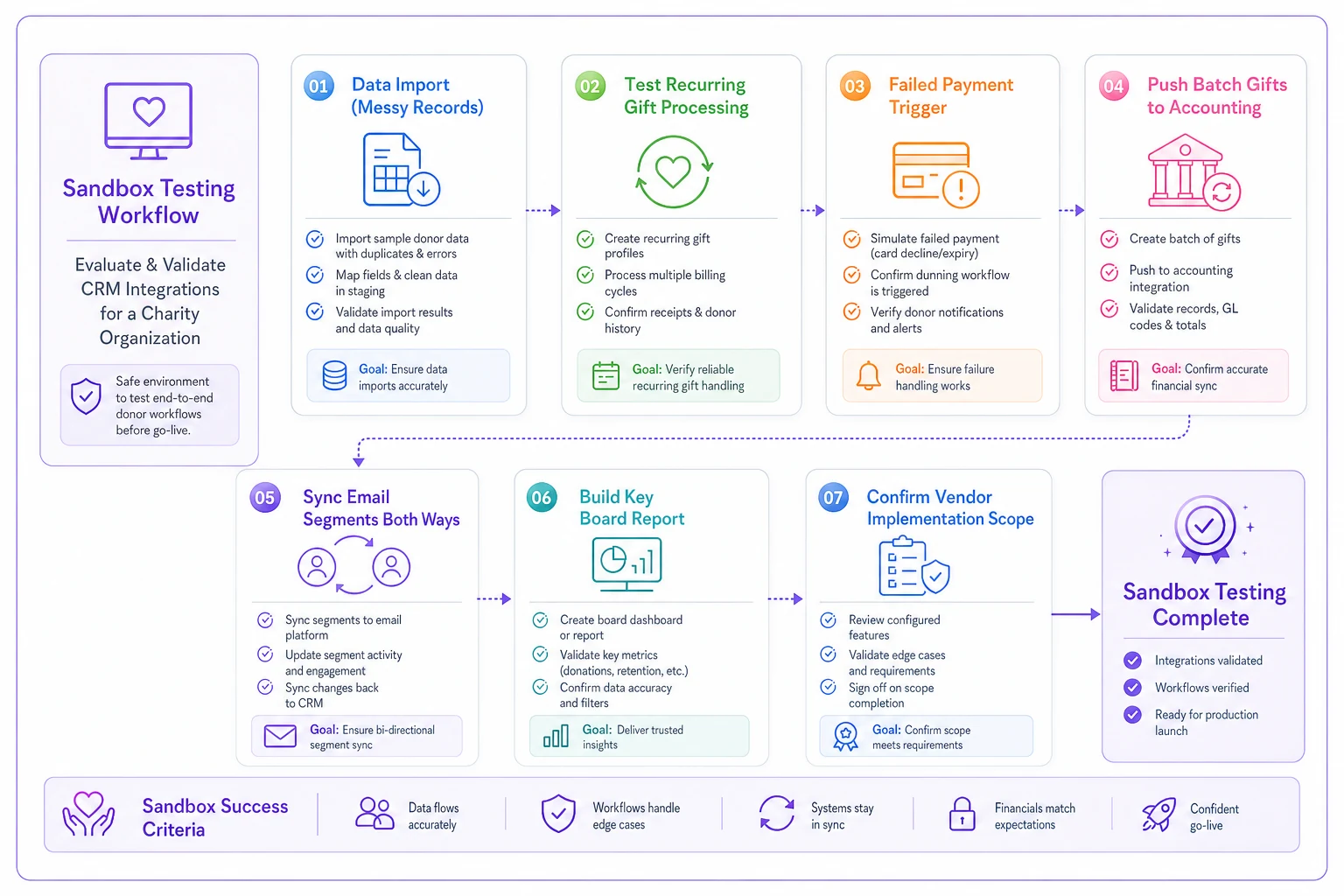
This diagram lays out the sandbox steps so you can run them in order and hand the checklist to a practical reviewer.
-
Import a sample of your messiest 500 records and see what breaks.
-
Process a test recurring gift and confirm the next scheduled charge appears correctly.
-
Trigger a failed/declined payment and verify it reaches the CRM.
-
Push a batch of gifts to QuickBooks and have your finance contact confirm the entries match expectations.
-
Sync a Mailchimp segment both directions and check that an unsubscribe flows back.
-
Pull the one board report you present most often and see how hard it is to build.
-
Ask the vendor, in writing, exactly what's included in the quoted implementation and what counts as billable extra.
If a vendor resists giving you sandbox access to test these, treat that as information. The ones confident in their integrations don't mind you kicking the tires.
The right CRM for a mid-sized nonprofit is rarely the most powerful one — it's the one your specific team can operate, with the one or two integrations you depend on working cleanly from day one. Contract length tells you your exit cost. Implementation range tells you your disruption window. The must-have integration tells you whether the whole thing will quietly fall apart into manual work six months in.
Shortlist two or three from the table, let the sandbox test decide, and before you move into negotiation and phase planning, run the purchase through the procurement and roadmapping framework so the governance side keeps pace with the vendor choice. The shortlist narrows the field; the roadmap keeps you from paying for the same work twice.
Ready to elevate your nonprofit impact?
Join 2,000+ nonprofits using Almosly to boost fundraising efficiency, deepen donor relationships, and scale philanthropic impact.